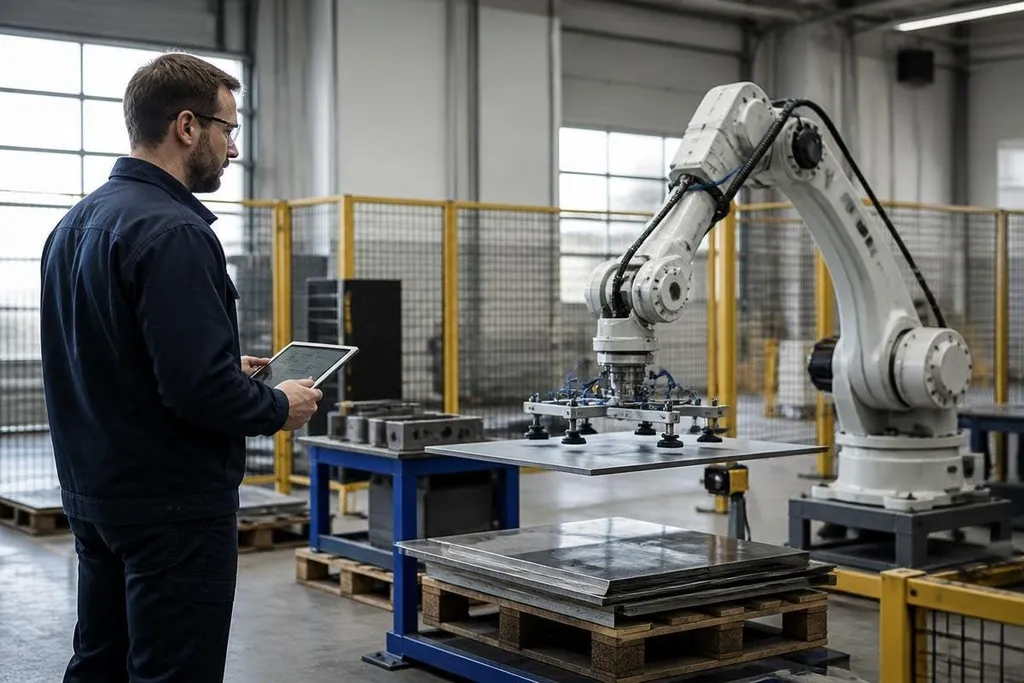
A robot can stop when a sensor detects a person, repeat the same motion, and avoid fatigue. That can reduce risk in a narrow job, but it doesn't make the whole workplace safe by itself.
This question matters most when you're choosing automation for lifting, cutting, transport, or other work near people. The useful test is not whether a robot is safer in general. It is whether the full task, including setup and repair, leaves fewer ways for someone to get hurt.
- Best fit: repeated work with fixed paths, known loads, and clear limits.
- Main risk: a sensor, software rule, or guard may fail outside its tested range.
- Buying test: compare the robot's safety controls with the hazards of the exact job.
Where robots can reduce risk
People get tired, lose focus, and vary from one shift to the next. The system can repeat a set path without fatigue, which helps when the task needs the same movement for hours.
That benefit depends on the task staying inside the robot's design limits. A mobile robot carrying sealed boxes along marked routes faces a different problem from an arm reaching into a shared work area beside a person.
Sensors can also give the robot a fast way to stop. Cameras, LiDAR, force sensors, and physical switches each detect different problems. A stop command only helps when the sensor can see the hazard, the control system reacts in time, and the robot has enough room to stop.
The physical design matters too. Lower speed, lower mass, rounded covers, guarded tools, and a reachable emergency stop can reduce the harm from a contact. None of those controls removes the need to check the whole work cell.
Why the robot can still create danger
Automation moves risk rather than removing it. It may take over a heavy lift while creating new work around programming, maintenance, battery charging, fault recovery, and access to moving parts.
The unusual case often causes the injury. A box falls outside the marked area. A person enters to clear a jam. A camera gets blocked by dust. A software update changes a setting. The robot then faces a situation its normal path never covered.
A safety claim also needs a clear boundary. “The robot stops when a person enters” leaves several questions unanswered: which sensor detects the person, from what distance, at what speed, and after how much delay?
Sensor range and stop delay only matter beside the robot’s model, task, and work-cell layout. A report from Robot24.com can name those details next to the safety claim, so you can judge whether the stop works where people and robots share space.
The whole work cell decides
The robot arm is only one part of the risk picture. The cell may include a conveyor, gripper, fixture, fence, control panel, floor space, and a person who must enter the area during a fault.
Each part can change the result. A fast arm inside a locked enclosure may keep people away from the motion. A slower arm beside an operator may need force sensing, speed limits, and a clear stop zone. The same robot can fit one task and fail the safety needs of another.
Training matters because people interact with the system around the normal cycle. They need to know when entry is allowed, how to isolate power, how to report a fault, and what the robot can do after a restart.
A written procedure does not protect anyone if the controls are hard to reach or the task takes too long to follow safely.
I’d approve a robot for a dangerous task only after the complete work cell has a tested response to normal work, faults, entry, and restart.
A decision check before purchase
Use this check with the safety manager, technicians, and people who will work beside the robot:
- Name the hazard: record the tool, load, speed, pinch point, heat, sharp edge, or stored energy involved.
- Map the contact: mark where a person can stand, reach, enter, fall, or become trapped.
- Test the stop: measure what happens when a sensor, emergency switch, or safety gate stops the motion.
- Plan the fault: write the steps for a jam, dropped load, blocked sensor, power loss, and restart.
- Check the service work: confirm how technicians isolate energy and reach parts that need repair.
- Review the change: repeat the safety check after a new tool, load, route, program, or software update.
This system may lower exposure to heat, heavy loads, sharp tools, or repeated motion. Its safety case still depends on limits that people can see, controls that work when needed, and tests that include the awkward cases.
A purchase should name the hazard this robot will remove, the new hazard it may add, and the test that proves the difference.